
The standard forms come with their signing locations already placed. You can also add your own PDF, such as a lender's form or a brokerage disclosure, to be signed along with them. A custom PDF has no signing locations of its own, so you place them yourself.
Upload the PDF
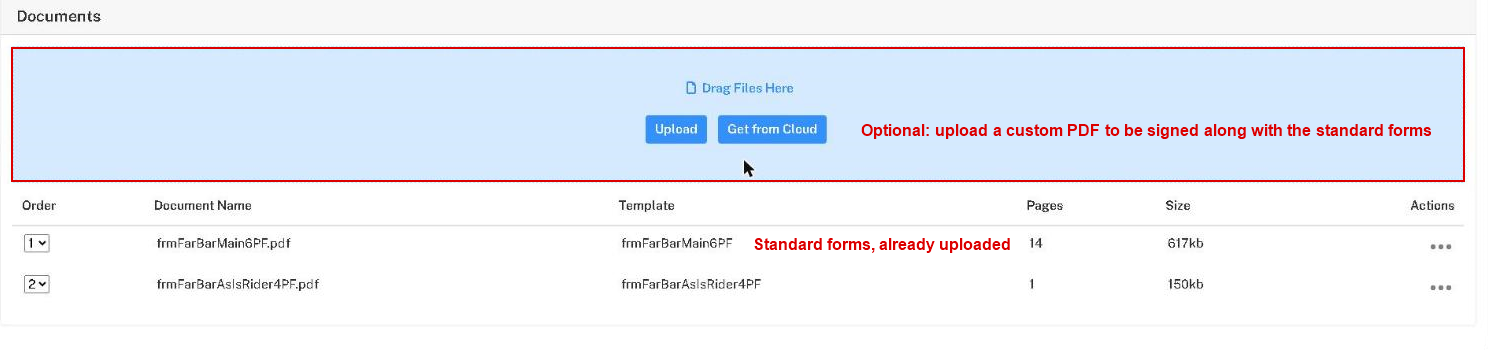
On the session configuration page, scroll to Documents. Drag the file into the blue area, or click Upload and choose it. Get from Cloud fetches it from an online storage account instead. The document joins the list below the standard forms. Use the Order column to set where it falls in the signing order.
Add your signers and assign their roles as usual. See Configuring E-sign Sessions.
Add signing locations
On the preview page, drag the signature, initials, date and other tags onto the custom PDF for each signer. See Adding Signing Locations.