
- Click Select Form on the menu bar.
- Click a category in the upper list. The forms in that category appear in the lower list.
- Double-click the form you want.
- Create riders in the same file as the contract in a transaction. See Riders and Addenda.
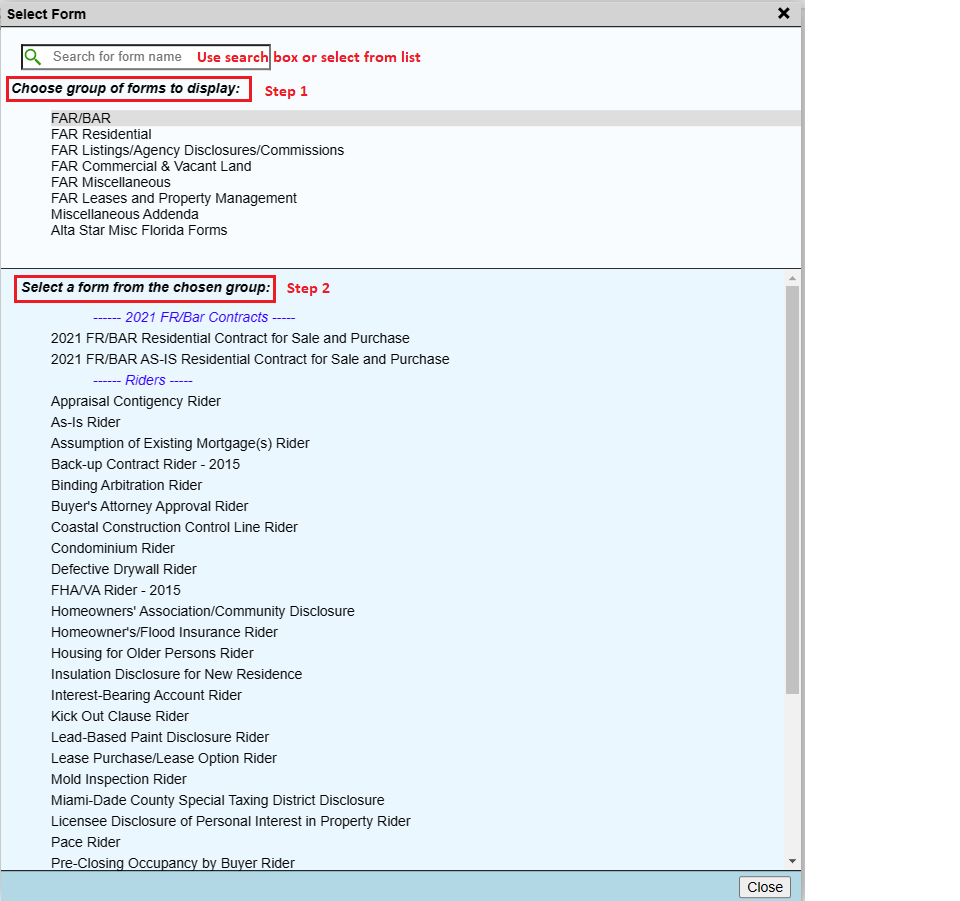
Selecting a form does not start a new file. The form opens inside the file you already have open, so you can fill in a contract and its riders together. See Riders and Addenda.
Set your default form
The default form is the one that opens when you log in or click New.
- Click Settings on the menu bar.
- Under "Set Default Form to Display for New Files", choose a form from the list. The window shows your current default form above the list.
- Close the Settings window. The new default applies from the next new file.