
Default entries are saved into every new file you start. Typical uses:
- the personal property wording you usually include
- an additional brokerage fee in the additional terms section
- your firm name under the commission section
- check boxes you always tick
- words you always strike out
Set your defaults
- Click New to start a new file.
- Fill in the entries you want in every new file. Check boxes and add strikeouts as needed, on one form or several.
- Click Settings.
- Under "Set or remove custom default entries for new files", click Set your current form entries as default.
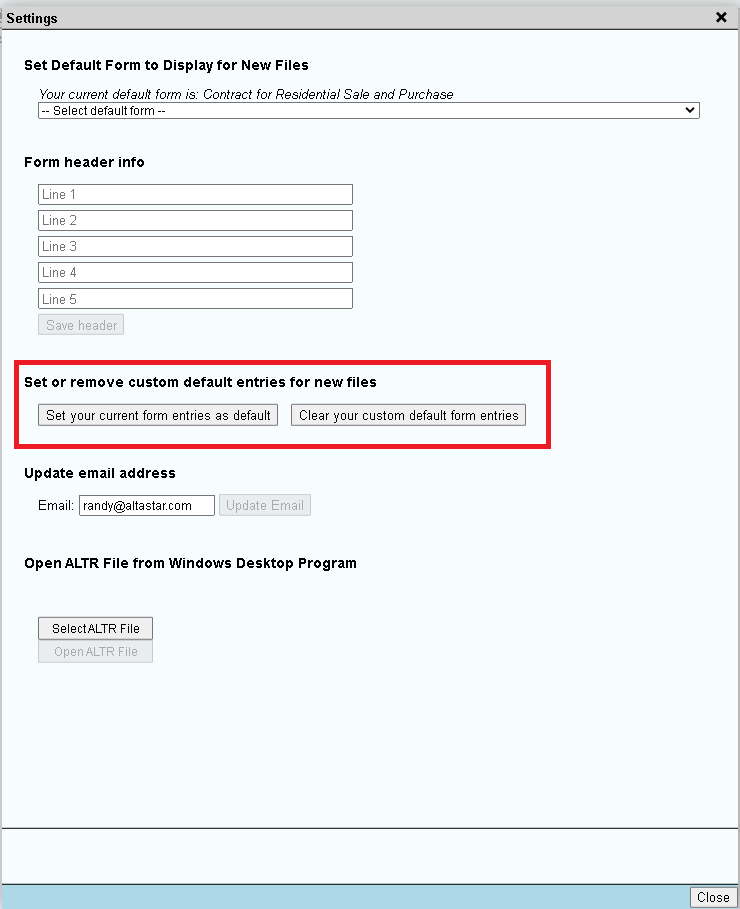
From then on, every new file starts with those entries.
Clear your defaults
- Click Settings.
- Click Clear your custom default form entries.
Tip: For wording you use in some files but not all, use the Clause Library instead.