
Who can terminate
The Forms Online user who started a signing session can terminate it at any time before it is complete. A completed session, one that is fully signed, cannot be terminated.
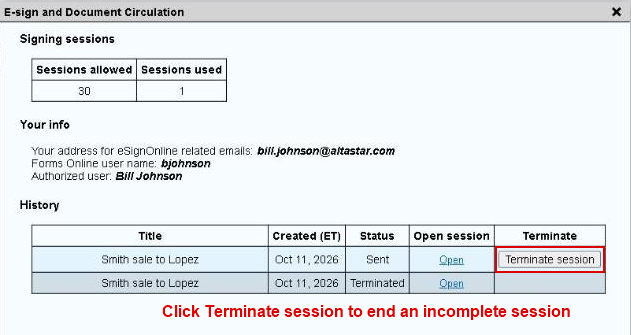
Terminate a session
- Click E-sign History on the menu bar.
- Find the session in the list.
- Click Terminate session for that session.

Credit Policy and Time Limit
Note: If an incomplete session is terminated using the Forms Online E-sign History window within the credit time limit, the session will no longer count against your available signing sessions.
The credit time limit is the end of the month in which the session was created, or within two days of creating it, whichever is later. Terminate it after that and the session is used up.
The authorization window shows the exact last day for credit when you start each session.